 On-device · Private · No account
Find the TikTok you saved in seconds.
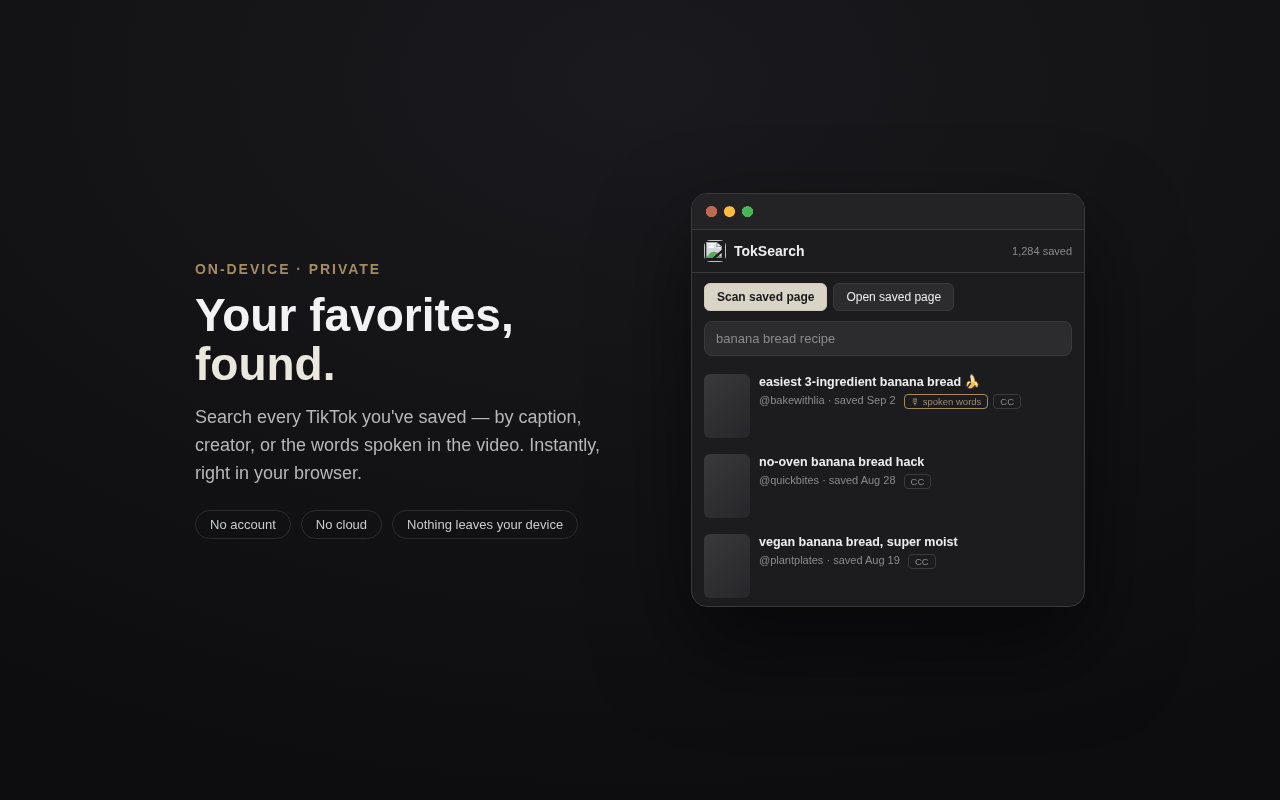
TokSearch indexes your saved TikToks so you can search them by caption, creator, or the words spoken in the video, right in your browser. Nothing is uploaded.
How it works
Three steps to a searchable library
Scan
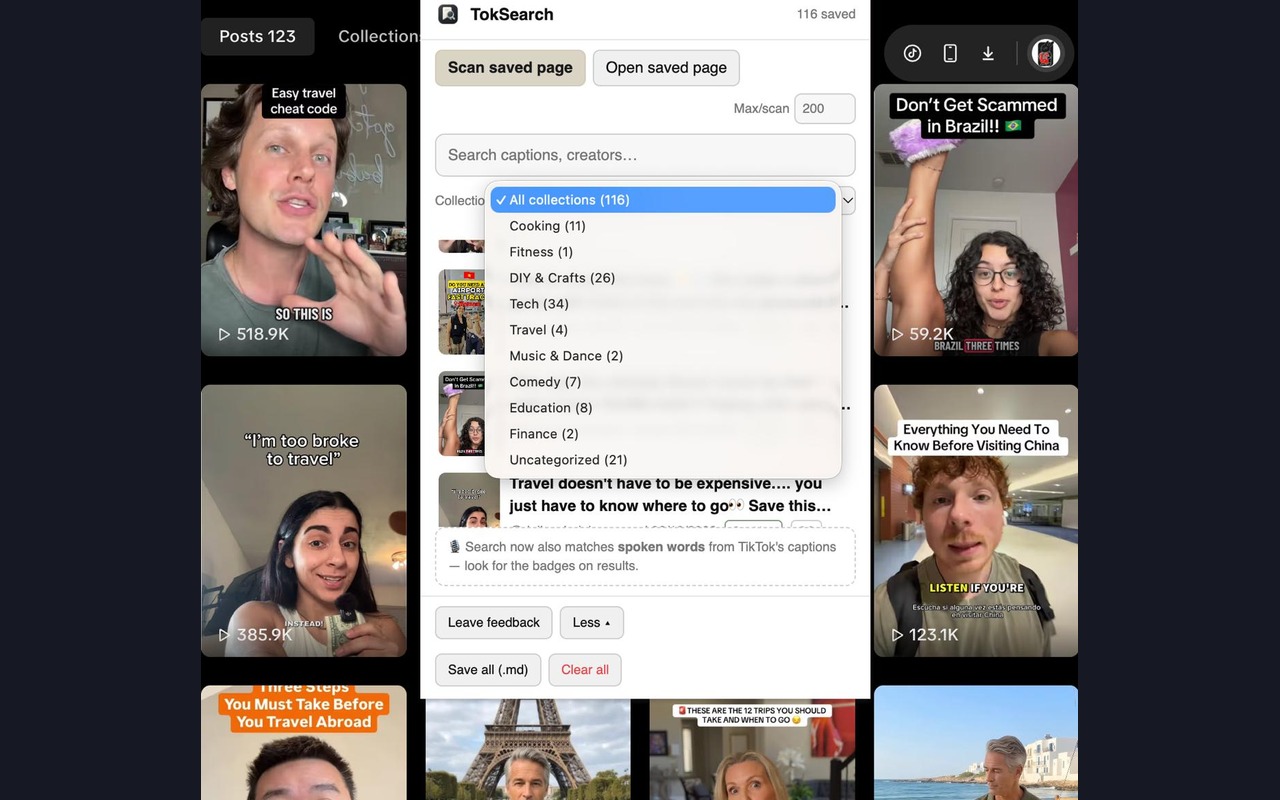
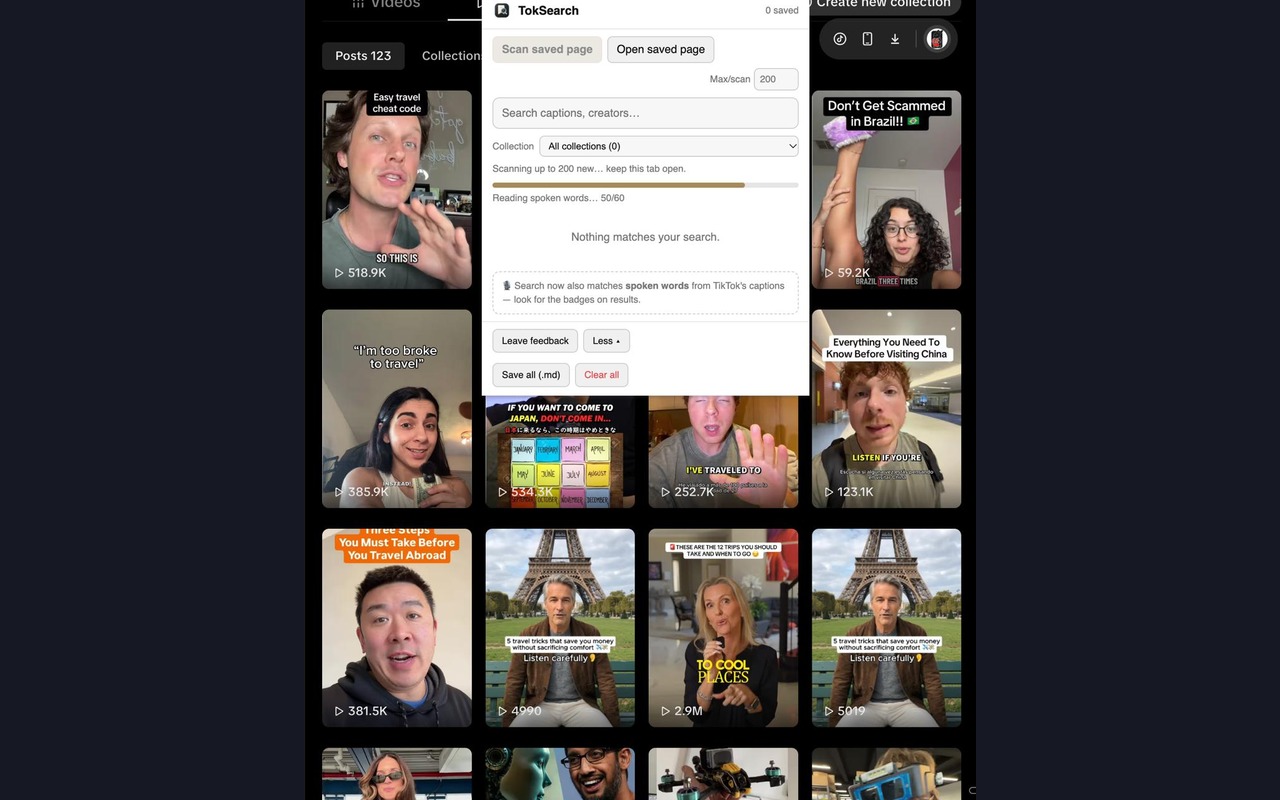
Open your TikTok Favorites tab and click Scan. TokSearch builds a searchable index of your saved videos, including large libraries.
Search
Type anything you remember: a word from the caption, a creator's name, or something said in the video.
Open
Click the result to jump straight to the video on TikTok. No more scrolling to find it.
What you can search
Stop scrolling your Favorites. Start searching them.
Caption & creator search
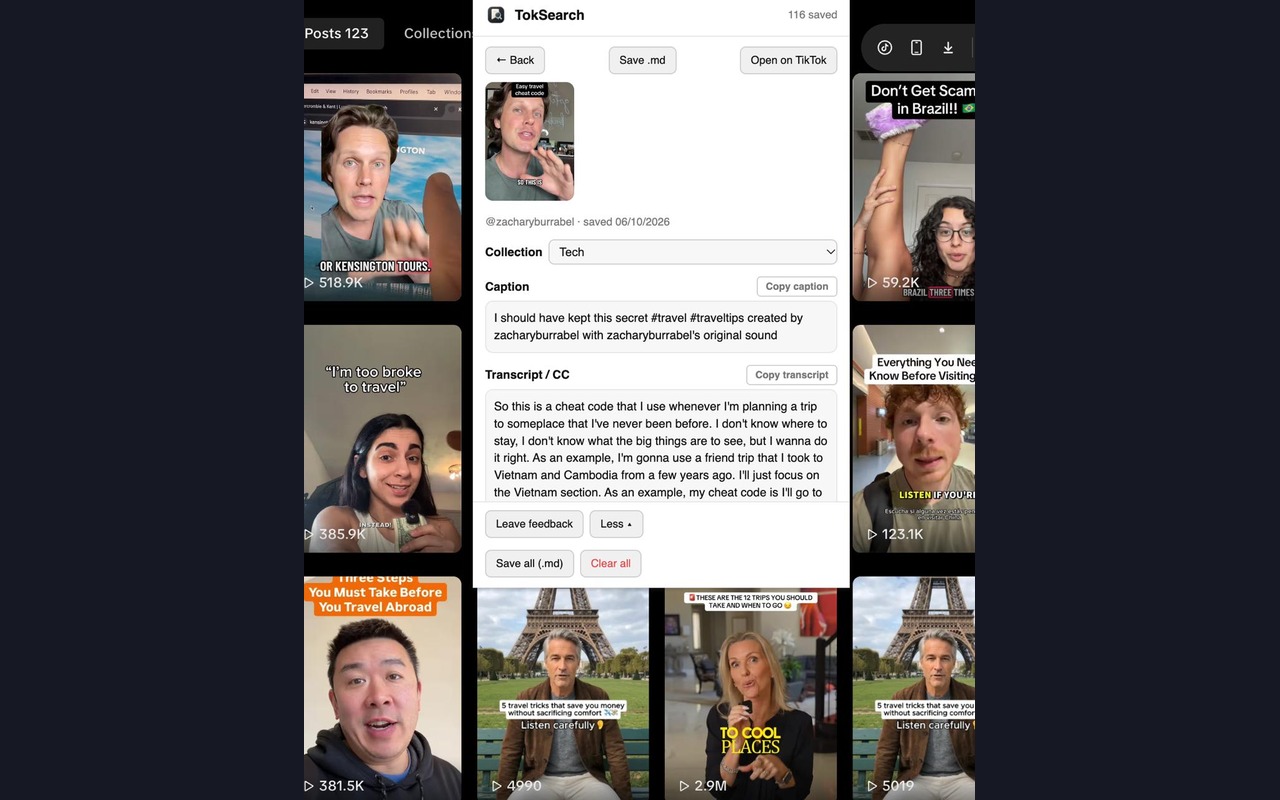
Type a word you remember from the caption, or a creator's handle, and jump straight to the video.
Search by spoken words
TokSearch also searches on-page transcripts and captions, so you can find a video by something that was said in it, not just written.
Built for large libraries
Whether you've saved a few dozen videos or a few thousand, the scan handles it in one batch pass.
100% on-device
No account, no cloud, nothing leaves your browser. The index lives only on your device.
A look inside
Simple, fast, out of your way

Your privacy
Your saves never leave your device
TokSearch reads your saved-video list from the TikTok page you already have open and stores the searchable index locally in your browser. It never downloads video files, only the details it needs to find them again.
- No account, ever
- No servers or cloud
- No tracking or analytics
- Minimal permissions (tiktok.com only)
Questions
Good to know
How is this different from a TikTok downloader?
TokSearch doesn't download anything. It helps you search the videos you already saved, privately. Downloaders grab video files and often track you; TokSearch just helps you re-find your saves.
Does it work if I have thousands of saves?
Yes. The scan scrolls your Favorites until it stops finding new videos. It's built for large libraries.
What data do you collect?
None. No account, no servers, no analytics. Everything stays in your browser's local storage.
What does it cost?
TokSearch is in early access while I build it out. Some advanced features may become paid later, and I'll always say clearly what's included before anything changes. If it saves you time, an optional tip is appreciated but never required.
What's coming next?
I'm reading and answering the feedback that comes in through the form below, and that's what decides what's next.
Tell me what you think
Help shape what TokSearch becomes
You're one of the first people using TokSearch. Tell me what's working and what's not. It genuinely shapes what I build next.
Optional support
Buy the maker a beer
TokSearch is made by one person. If it helped you re-find something you saved, an optional tip helps cover development and testing time, and keeps the project moving.
Tips are voluntary, don't unlock features, and are never required to use TokSearch.